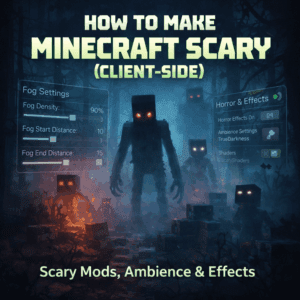
How to Make Minecraft Scary Client-Side (No Server Mods)
Before you read the guide, check your current "Fear Score." Select the mods you currently have installed:
We have all been there. You are playing on a public SMP, a Hypixel lobby, or a friend’s Realm. You want that adrenaline-pumping, heart-racing horror experience you see on YouTube. You want the fear of From the Fog or the Cave Dweller.
But there is a problem: You aren't the Server Admin.
You can’t add new mobs. You can’t change the server generation. You are stuck with Vanilla. Or are you?
Here is the secret that veteran players know: Horror is 90% atmosphere. By combining specific client-side mods with horror resource packs, you can completely transform your game into a psychological thriller. These tools only affect what you see and hear, meaning they work on almost any server—even ones with strict anti-cheat rules.
Below, we have curated the ultimate list of Mods, Resource Packs, and Shaders to turn your next mining trip into a nightmare.
What Does "Client-Side" Actually Mean?
Before we dive into the mod list, it's vital to understand the distinction. A Server-Side mod (like the Cave Dweller) adds new entities to the game code. If the server doesn't have it, you can't play it.
A Client-Side mod only changes the presentation on your computer. It changes how light renders, how sound echoes, and how existing mobs move.
- Works on: Realms, Public Servers (Hypixel/Wynncraft), Aternos, Singleplayer.
- Risk: Extremely Low (These are generally allowed on all servers, but always check specific rules regarding "X-Ray" or "Gamma" restrictions).
1. The Audio Overhaul (The Foundation of Fear)
If you only install one category of mods, make it audio. Minecraft’s default sound engine is flat—a zombie 10 blocks away sounds the same whether it's behind a wall or right next to you. These mods fix that.
Sound Physics Remastered
This is the heavy lifter. Sound Physics Remastered simulates sound waves bouncing off walls, creating realistic attenuation and reverberation.
- The Effect: If you are deep in a cave, a skeleton rattle will echo and reverberate. You won’t know exactly where it is, only that it is close. If you are in a narrow tunnel, sounds are muffled and claustrophobic.
- Horror Setting: Go into the config and crank the "Cave Resonance" up to 1.0 or higher. The echoing groans of zombies will make you hesitate to place that next torch.
AmbientSounds 5
Vanilla Minecraft is too quiet. AmbientSounds 5 fills the silence with unease.
- The Effect: In forests, you’ll hear twigs snapping and wind howling. In caves, you’ll hear rock slides and distant drips. It removes that "gamey" feel and replaces it with a living, breathing world.
Presence Footsteps
This mod makes you the source of the fear. It creates realistic, loud, and crunchy footstep sounds based on the block you are walking on. When you are sprinting through a Deep Dark biome, the loudness of your own steps makes you feel vulnerable—like you are announcing your location to everything in the dark.
2. Visuals: Fear of the Dark
The biggest killer of horror in Minecraft is the "Gamma" setting. Even at "Moody" brightness, you can usually see outlines. To make Minecraft scary client side, we need to remove your ability to see.
True Darkness (or Hardcore Darkness)
This mod fixes the light engine. In vanilla, light level 0 isn't actually black; it's a dark grey.
- The Effect: With True Darkness, zero light means zero visibility. If you run out of torches, your screen is pitch black. You cannot see the creeper standing two feet in front of you.
- Why it works: It forces you to rely on sound (see above). It turns a simple lack of coal into a life-or-death emergency.
Effective
This is a smaller mod, but it adds to the immersion. It adds splashes to water and lava. Seeing a splash in a dark underground lake—when you know you didn't cause it—is a subtle but terrifying indicator that something else is in the water with you.
3. The Uncanny Valley: Entities & Resource Packs
You can't add new monsters to a server, but you can make the existing ones horrifying using Minecraft horror resource packs.
Fresh Animations
This is mandatory. Vanilla mobs move stiffly. Fresh Animations gives them fluid, realistic movement.
- The Effect: Spiders now scuttle realistically with their legs moving independently. Zombies lunge and stumble. The realistic movement triggers the "Uncanny Valley" effect—they look just real enough to be disturbing.
Tissou's Zombie Pack
Combine this with Fresh Animations. This resource pack gives zombies glowing eyes and randomizes their skins to look like rotting corpses with different injuries. Hearing a realistic groan (Sound Physics) and seeing a glowing pair of eyes rushing at you out of the pitch black (True Darkness) is genuinely scary.
Scarier Spiders (Spidery Spiders)
If you have arachnophobia, skip this one. This resource pack changes the spider model to have realistic, hairy legs and a smaller body. Seeing them crawl on the ceiling in a mineshaft is nightmare fuel.
4. The Final Touch: Shaders
If your PC can handle it, Shaders are the glue that holds this horror modpack together.
Insanity Shader
While most shaders try to make the game look beautiful, the Insanity Shader tries to make it look oppressive. It draws inspiration from Silent Hill and Resident Evil.
- Features: Thick fog that limits render distance, desaturated colors, and a slight film grain. It makes a sunny day look like a gloomy afternoon, and night time look like a death sentence.
Advanced Configuration: Maximizing the Fear
Installing the mods is step one. Configuring them is where the magic happens. Here are the specific settings used by horror YouTubers:
- Sound Physics: Set
Reflectivityto 0.8 andOcclusionto 1.0. This makes sounds behind walls very muffled, forcing you to check corners. - True Darkness: Set
Moon Lightto 0. This ensures that even on the surface at night, you cannot see without a light source. - Music: Turn Vanilla Music OFF. Rely entirely on AmbientSounds 5 for background noise. The happy C418 piano music will ruin the horror vibe instantly.
How to Install These (The Easy Way)
Since this list uses a mix of Mods and Resource Packs, the installation is slightly different:
- The Mods (Fabric): Install Sound Physics, AmbientSounds, Presence Footsteps, True Darkness, and Effective into your
/modsfolder. - The Resource Packs: Download Fresh Animations, Tissou's Zombies, and Scarier Spiders. Place these in your
/resourcepacksfolder and activate them in-game. - The Shader: Install Iris Shaders (Mod) and then place the Insanity Shader zip file into your
/shaderpacksfolder.
Important: For Fresh Animations to work on Fabric without Optifine, you must also install the Entity Texture Features (ETF) and Entity Model Features (EMF) mods.
Frequently Asked Questions (FAQ)
Will I get banned from Hypixel for using these?
Generally, no. These mods are "Client-Side Aesthetic" mods. They do not give you an unfair advantage (like X-Ray or Kill Aura). However, be careful with "True Darkness" settings if a server requires a specific gamma level, though usually, making the game darker is not considered cheating. Always check the specific server's rules.
Do these mods cause lag?
Sound Physics can be slightly CPU intensive because it is calculating sound waves in real-time. If you have a lower-end PC, try turning down the "Ray Bounces" in the mod settings. Fresh Animations has very little performance impact.
Can I use these on a Realm?
Yes! Realms behave just like servers. Since these mods live on your computer, they will work perfectly on a Realm without the owner needing to install anything.
Conclusion
You don't need to wait for your friends to agree on a modpack to experience horror in Minecraft. By combining Sound Physics Remastered horror settings with True Darkness and Fresh Animations, you can fundamentally change how the game feels.
The caves will echo, the darkness will bite, and the zombies will run. Download these client-side scary Minecraft mods today, turn off the lights in your room, and try to survive the night.
Have you found a client-side mod that scares you? Let us know in the comments below!
Blogs You Might Like: